Website Revamp Checklist Before Running Ads: The Pre-Launch Audit That Protects Your Budget
A pre-launch audit covering speed, message match, conversion, and tracking — before you spend.
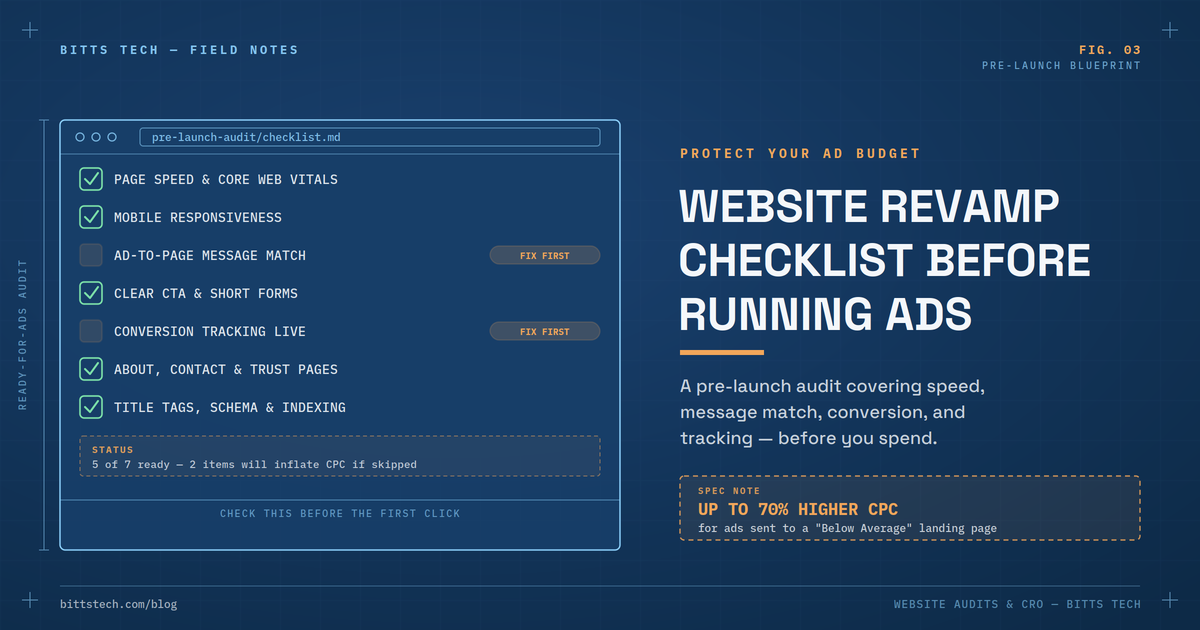
Here's the expensive mistake that plays out constantly: a business builds an ad campaign, writes solid copy, sets a budget, and sends every click straight to a website that was never actually checked for readiness. The ads work exactly as intended — they get clicks. The problem shows up downstream, where a slow, generic, or confusing website quietly throws most of that spend away before a single conversion happens.
This isn't a minor inefficiency. Google's own ad auction explicitly penalizes it: a landing page rated "Below Average" can increase your cost-per-click by 30–70%, and in some documented cases by over 400%, while also cutting your ad visibility by up to 50%. Running ads to an unready website doesn't just underperform — it actively makes every click more expensive than it needs to be.
This checklist exists to fix that before you spend the first dollar, not after the first disappointing report.
Why This Checklist Matters Before You Spend on Ads
Google Ads Quality Score is built from three components — expected click-through rate, ad relevance, and landing page experience — and that third one is entirely about your website, not your ad. Industry data on this is consistent and stark: advertisers who improve their Quality Score from roughly 5 to 10 see their cost-per-click drop by around 50%, while a "Below Average" landing page rating works in the opposite direction, inflating CPC and quietly draining budget on every single click. In one documented case, a business moved its landing page experience rating from Below Average to Above Average in seven days and watched its Quality Score jump from 3 to 9 — a 62% reduction in CPC on the same campaign.
The pattern extends beyond Google Ads specifically. Landing page conversion benchmarks vary widely by source and industry, but a recurring theme holds across nearly all of them: dedicated landing pages built for a specific offer convert meaningfully better than a generic homepage, and businesses running 40 or more focused landing pages generate roughly five times more leads than those running fewer than ten. Sending ad traffic to an unprepared page isn't a small leak — it's the single most common reason ad campaigns underperform their potential.
The Pre-Launch Website Revamp Checklist
Work through these six areas before turning on any ad campaign. Each one maps directly to either Quality Score, conversion rate, or both.
1. Technical Performance & Speed
- [ ] Page loads in under 2–3 seconds on both mobile and desktop
- [ ] Core Web Vitals pass, particularly Largest Contentful Paint under 2.5 seconds
- [ ] Site is fully responsive and tested on real mobile devices, not just a browser resize
- [ ] SSL/HTTPS is active across the entire site, not just the homepage
- [ ] No broken links, 404s, or redirect chains on any page ads will point to
Page speed has one of the most directly measurable effects on ad performance available: research shows a one-second delay can reduce conversions by roughly 7%, and 53% of mobile users abandon a page outright if it takes longer than three seconds to load. For a business running meaningful ad spend, that's not a technical nitpick — it's lost revenue with a specific, quantifiable cost attached.
2. Landing Page Message Match
- [ ] Each ad campaign points to a dedicated landing page, not the general homepage
- [ ] The page headline mirrors the exact promise or keyword used in the ad
- [ ] One primary offer and one primary call-to-action — not three competing options
- [ ] Language, tone, and keywords on the page match the ad copy consistently
This is the single most common landing page mistake in paid search: an ad promises something specific, and the click lands on a homepage that talks about the company in general terms instead. Google's algorithm reads that gap directly — when ad relevance is strong but the landing page is generic, the landing page experience score drops regardless of how good the ad itself was, and the advertiser ends up paying a premium for clicks that were unlikely to convert in the first place.
3. Conversion Elements
- [ ] A clear, singular call-to-action visible above the fold
- [ ] Minimal form fields — every additional field reduces completion rate
- [ ] Visible trust signals: reviews, testimonials, client logos, or case studies
- [ ] Mobile-friendly tap targets, especially for forms and buttons
Form length alone has an outsized effect on conversion: research from Unbounce's benchmark data found that three-field forms convert at roughly 10.1%, compared to just 3.6% for nine-field forms, with the steepest drop-off occurring between four and seven fields. Social proof carries similar weight — displaying reviews has been shown to boost conversions by as much as 270% in some studies, since it answers the trust question a cold visitor is silently asking before they commit.
4. Tracking & Measurement Setup
- [ ] Conversion tracking installed (Google Ads tag, Meta Pixel, or equivalent) before launch, not after
- [ ] Analytics goals or events configured for every meaningful action — form fills, calls, purchases
- [ ] UTM parameters planned for each campaign so traffic sources are distinguishable later
- [ ] Google Search Console connected, so organic and paid performance can be compared
Skipping this step doesn't just delay insight — it makes the first weeks of ad spend almost impossible to evaluate honestly. If conversion tracking goes live after a campaign has already been running, that early spend becomes a blind spot you can never fully recover the data for.
5. Trust & Compliance Basics
- [ ] Privacy policy, terms, and clear contact information are easy to find
- [ ] About page is complete, not a placeholder — visitors consistently look for this page before trusting a new business
- [ ] It's immediately clear who operates the site and what it actually offers
Google's own guidance has shifted to flag exactly this issue: pages that make it hard to understand who's operating the site or what its purpose is now receive a poor landing page experience rating independent of speed or design quality. This is a frequently overlooked checklist item precisely because it has nothing to do with conversion-rate-optimization tactics — it's closer to basic transparency, and it's now an explicit ranking and Quality Score factor.
6. SEO & Quality Score Foundations
- [ ] Title tags and meta descriptions are relevant to the keywords your ads target
- [ ] Structured data (schema) is in place where applicable
- [ ] The landing page is indexed and not accidentally blocked by robots.txt or a noindex tag
These overlap directly with the technical SEO foundation covered in our SEO guide — and that overlap is the point. A website revamp done properly before launching ads doesn't just prepare you for paid traffic; it strengthens the same technical and content foundation your organic search visibility depends on.
What Happens If You Skip This and Run Ads Anyway
The cost of skipping this checklist isn't abstract — it shows up directly in your campaign reporting, usually within the first billing cycle. A landing page experience rated "Below Average" triggers a documented penalty: 30–70% higher cost-per-click and up to 50% lower ad position compared to competitors with stronger pages, even when bids are identical. At meaningful spend levels, that gap compounds quickly; one analysis found that a Quality Score difference of just a few points on the same keyword translated to thousands of dollars in unnecessary monthly cost. The frustrating part is that none of this requires a bigger budget to fix — it requires fixing the website first.
A Five-Minute Pre-Launch Gut Check
Before any campaign goes live, run this quick test:
1. Open the exact landing page on a phone, on mobile data rather than Wi-Fi, and time how long it takes to load. 2. Hand the page to someone unfamiliar with your business and ask them to explain, within five seconds of looking, what's being offered and what they're supposed to do next. 3. Try to find the contact information and the privacy policy without searching — both should be reachable in under two clicks. 4. Run the URL through Google's PageSpeed Insights and check whether Core Web Vitals pass.
If any of these fail, that's the fix list — before the ad spend starts, not after.
How This Connects to Your Broader Growth Strategy
A website revamp before running ads isn't a separate project from your website's general health or your SEO strategy — it's the same foundation serving a second purpose. The technical fixes that make a page ready for paid traffic (speed, mobile usability, clear structure, trust signals) are the same fixes that improve organic rankings and on-site conversion for the visitors already finding you through search. Ads simply make the gap visible faster: a slow or confusing page wastes organic visitors quietly over time, but it wastes paid traffic immediately and at a measurable cost per click. Fixing the website first means every dollar spent afterward — on ads, on SEO, or on neither — performs against a foundation that's actually built to convert.
Frequently Asked Questions
How long does a website revamp take before launching ads? A focused pre-launch audit covering speed, message match, and conversion basics can often be completed in one to two weeks; a fuller redesign typically takes four to six weeks, depending on the scope of issues found.
Should I build a new landing page or just fix my homepage? For any paid campaign, build a dedicated landing page specific to that offer rather than relying on the homepage. Businesses running many focused landing pages consistently generate more leads than those relying on a single general page, and message match between the ad and the page is one of the strongest predictors of both conversion rate and Quality Score.
What's the single highest-impact fix if I can only do one thing? Page speed and message match together cover most of the gap. A slow page loses visitors before they ever see your offer; a mismatched page loses the ones who do load it. Fixing both first typically produces the largest visible improvement.
Can I start running ads while the website is still being revamped? It's possible, but risky — early campaign data gets skewed by a page that isn't ready, and Google's algorithm forms an initial impression of your landing page experience that takes time to recover from if it starts poorly. Where budget allows, finishing the core checklist items first protects both your initial CPC and your long-term Quality Score history.
Does this checklist apply to social ads too, or just Google Ads? The principles apply across every paid channel. Meta, LinkedIn, and other platforms don't use the identical Quality Score mechanism, but they all reward fast, relevant, high-converting landing pages with better delivery and lower costs over time, and they all punish the opposite.
Final Thoughts
The most expensive ad campaign isn't the one with the highest budget — it's the one sending paid traffic to a website that was never checked for readiness. Every item on this checklist exists because it has a measurable, documented effect on either cost-per-click, conversion rate, or both. Running through it before launch typically takes less time than a single week of wasted ad spend would cost, and unlike the ad spend itself, the fixes keep paying off long after the campaign ends.